Misconfigured Cloud Assets: How Attackers Find Them 2026
目次
Cloud misconfigurations were responsible for 23% of all cloud security incidents in 2025, and Gartner projects that 99% of cloud security failures through 2026 will be the customer’s fault — not the provider’s. One bucket left open, one test environment forgotten, and sensitive data is sitting on the public internet. The average enterprise is now running over 3,000 misconfigured cloud assets at any given time.
It doesn’t end with a headline about a leaky bucket. Once discovered, an exposed S3 bucket is quickly tested, indexed, and drained by automated exfiltration tools. And anyone can do it. With the right script, an open bucket becomes a doorway — and the data inside can be copied and weaponized in minutes.
The scale of cloud misconfigurations
In one documented case, a misconfigured Amazon S3 bucket left more than 8TB of meeting recordings and transcripts exposed to the public internet. But single incidents are no longer the story. Cloud-conscious intrusions jumped 37% year-over-year in 2025, accelerating from 26% growth in 2024.
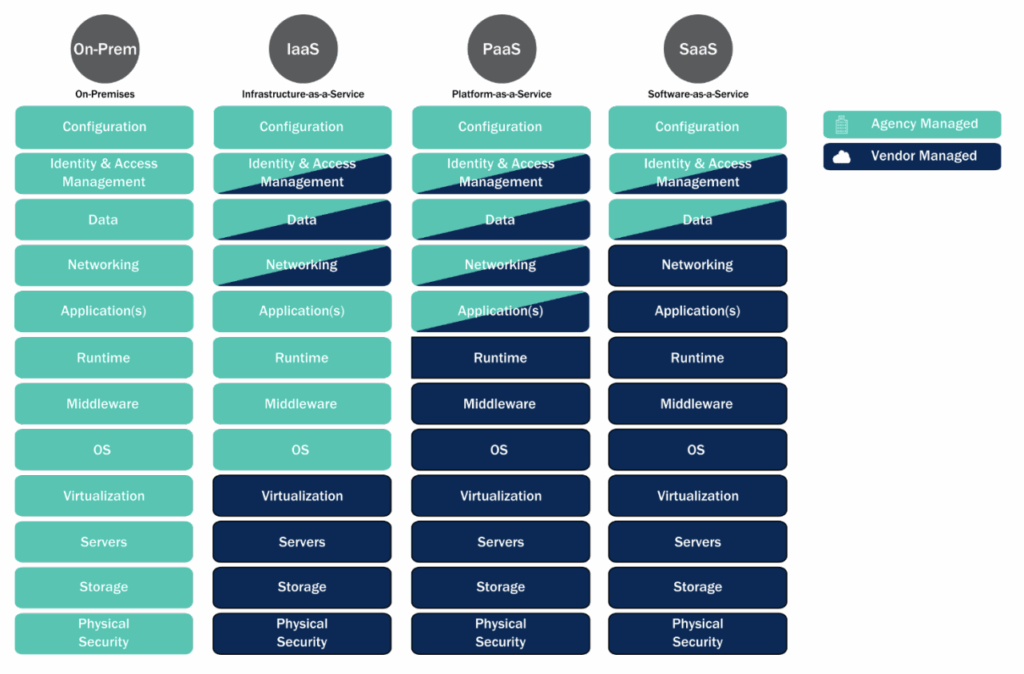
Plus, weak or overly broad access control policies make it worse. Lifecycle management is often neglected, leaving test buckets or retired workloads online long after they’ve become outdated.
Unfortunately, every leaky S3 bucket is a:
- Potential compliance violation
- Source of sensitive data for attackers
- Gateway to a larger cloud data breach
Let’s unpack how threat actors can weaponize cloud infrastructure in the first place.
How attackers discover exposed assets
Attackers have a range of tools and automations to catch exposed cloud resources. Here are some of the main asset types that cybercriminals take advantage of to exploit security risks.
1. Open-source GitHub tools
GitHub hacking tools like S3Scanner scan for open buckets across multiple cloud providers (AWS, GCP, DigitalOcean, Linode, etc.), checking common permission misconfigurations.
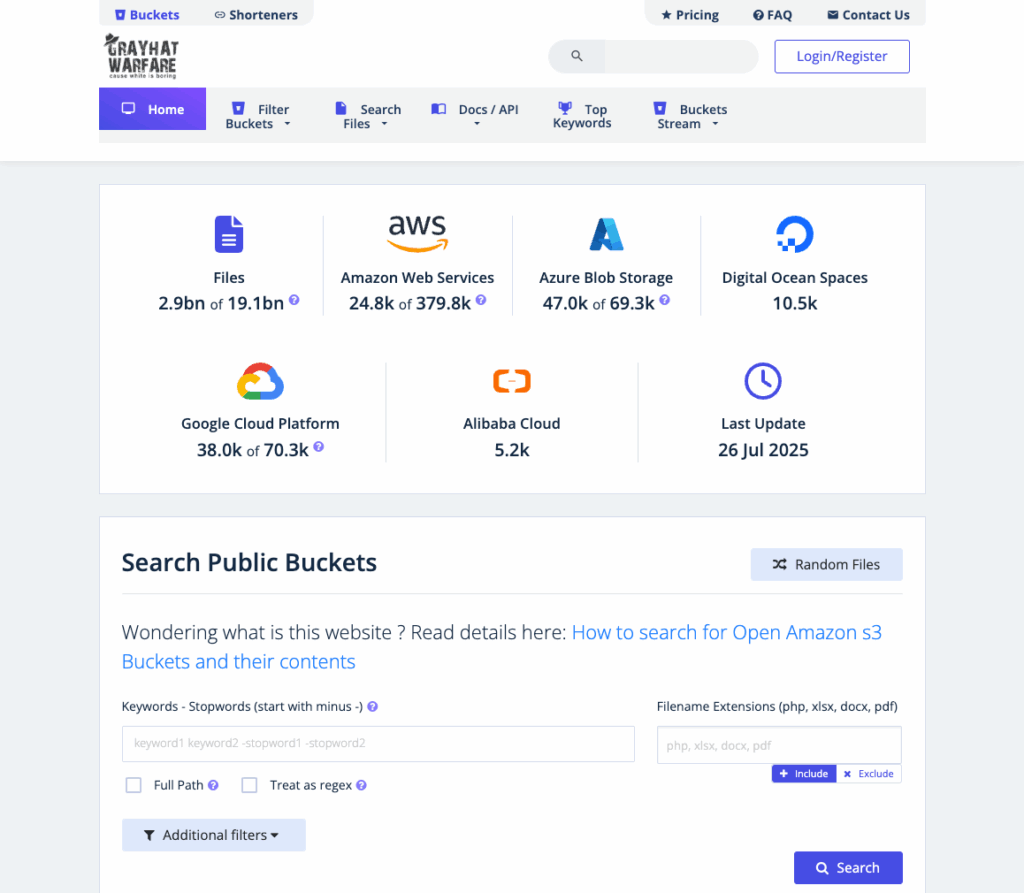
BucketLoot is another. It inspects S3-compatible buckets, flags secret exposures using regular expressions, and can work in “guest mode” (no credentials) for public buckets, or with credentials for deeper scans.
Slurp does bucket enumeration using domain names, keywords, permutations. It tries to find bucket names exploitable via black-box scanning.
2. Search engines and indexing services
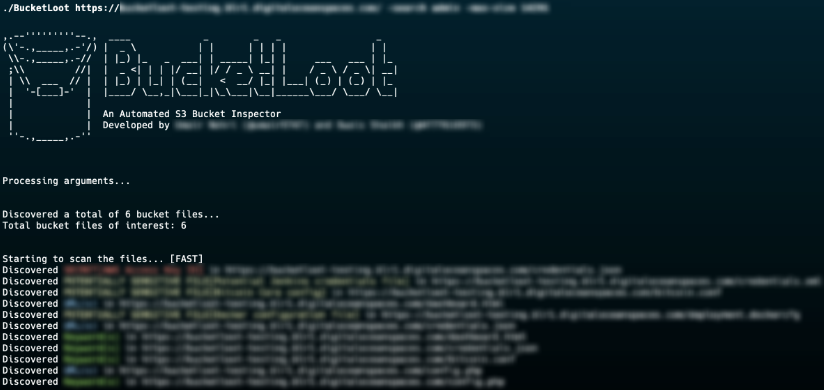
GrayhatWarfare is a website that indexes publicly accessible S3 buckets, lets users search by filename, keyword, or extension. It reveals open buckets and exposed files.
These services often have free and paid tiers, with premium access sometimes offering more detailed search filters, or more recent entries.
For example, GrayhatWarfare’s premium tier costs around $25 a month. That’s pocket change compared to the millions a breach can cost a business, yet it gives attackers unlimited search power over exposed files.
3. IP range-based scanning & endpoint detection
Some scripts and tools map the publicly published IP ranges for cloud providers.
They can then scan those ranges (via HTTP/HTTPS or provider APIs) to detect object storage endpoints or bucket URLs. If a bucket responds (e.g. with HTTP 200 on listing, or metadata), it’s flagged.
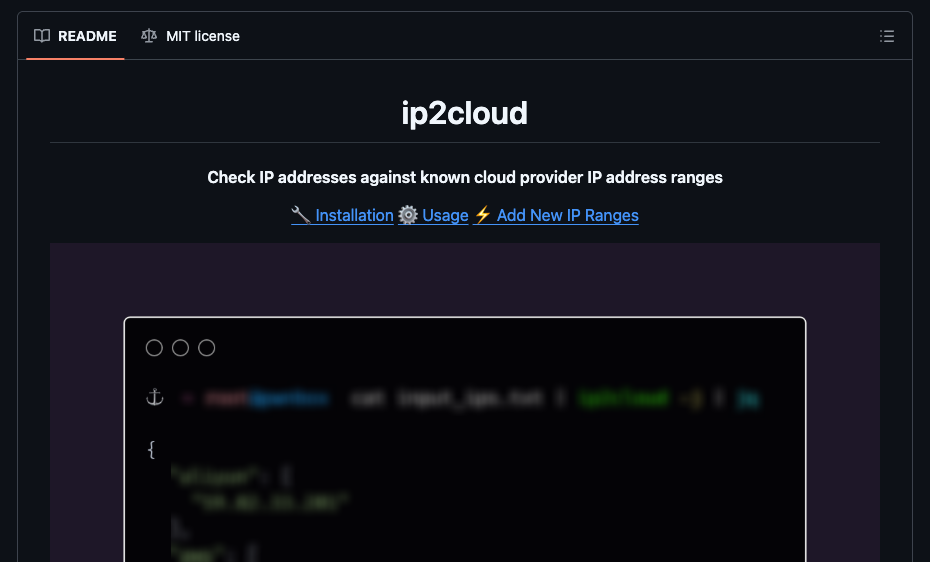
Tools like ip2cloud help identify if a given IP belongs to AWS, Azure, etc., which can narrow the scanning targets.
4. Filename brute forcing/ directory guessing
Even if a bucket is “closed”, with no public listing, attackers can often brute force common file names or container names (e.g. index.html, backup.zip, credentials.json) or guess container names in Azure Blob or Google Cloud Storage.
For example, GrayhatWarfare’s “Buckets Stream” addon documents that about 10% of private buckets have an exposed index.html which can act as a breadcrumb to discover more.
Cloud attack techniques
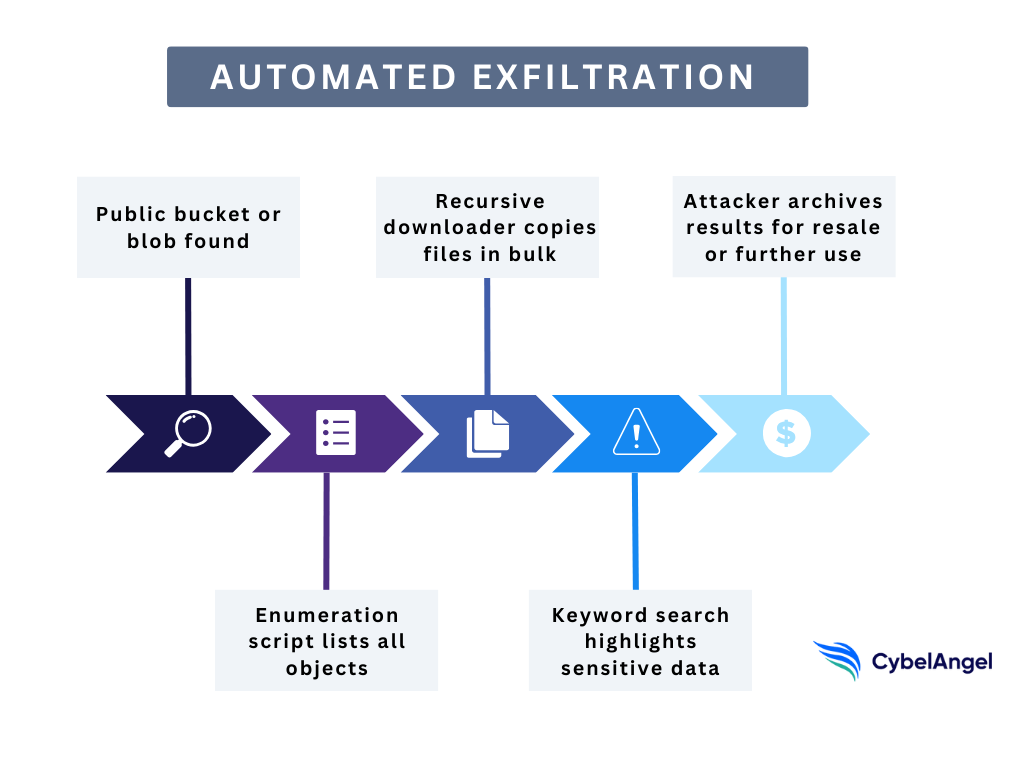
Once an exposed bucket or blob is found, attackers bring out scripts designed to pull as much data as possible, as quickly as possible.
The tools aren’t necessarily cutting-edge, either. Many are open-source, freely available on GitHub, and rely on the same cloud provider APIs your own teams use every day.
Some scripts are built for enumeration. Using AWS CLI or Azure SDKs, they probe a bucket, confirm whether it’s public, and list every file it contains.
Others are tuned for recursive downloading, pulling down entire folder structures in one sweep. A single command can clone thousands of files.
Then come the keyword searchers. These look through filenames and metadata for high-value targets, such as:
- Credentials
- Financial records
- Software licenses
- Anything tagged “confidential”
This automates what would otherwise be a painstaking manual process.
Here’s an example of what this flow could look like in action.
Case studies and use cases
Let’s look at some real-world breaches (some ongoing) where simple misconfigurations in cloud services caused some big damage.
Defensive measures for security teams
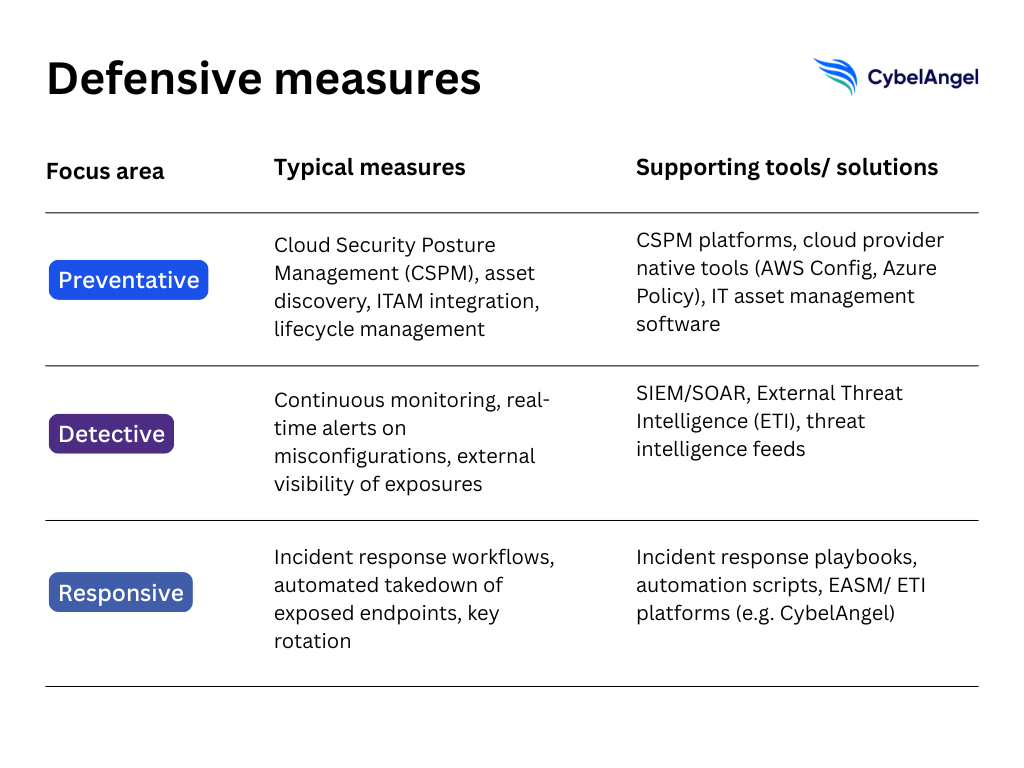
Of course, misconfigurations will always happen. But they don’t have to be inevitable breaches, if security teams stay on top of them. The key to good cloud asset management is to focus on prevention, detection, and rapid response.
Let’s break these three steps down.
- Prevention: Start with Cloud Security Posture Management (CSPM) to enforce baseline policies across AWS, Azure, and Google Cloud. Combine CSPM with continuous asset discovery and IT asset management (ITAM) integration so that buckets, blobs, and test environments aren’t forgotten once deployed. Good lifecycle management reduces the “shadow IT” problem that so often creates exposures.
- 検出 Implement continuous monitoring of cloud environments and real-time alerts for policy violations. Simple guardrails (such as flagging any storage container marked “public”) can buy critical time before data is indexed and exploited. External monitoring is also vital, as exposures often appear outside of your internal dashboards first.
- Response: When exposures are found, you need clear incident response workflows. That includes revoking exposed keys, locking down storage permissions, and in some cases, executing automated takedown of misconfigured endpoints. Speed matters. The longer a bucket stays exposed, the more likely it is to be scanned and siphoned.
If you’re looking for more cloud risk management resources, the CISA and NSA have jointly published cloud security guidance. It stresses the importance of sound identity, access, and asset management to avoid these exact scenarios. Their recommendations align closely with what many CISOs are already prioritizing, including visibility, least-privilege access control, and continuous verification.
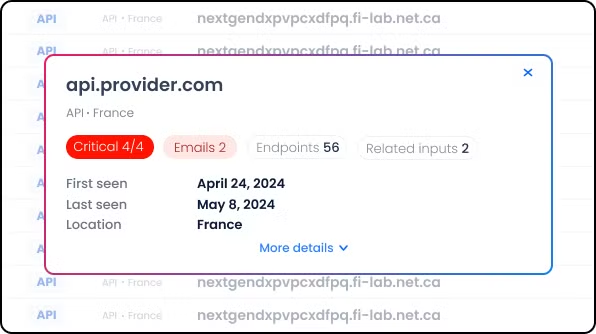
CybelAngel adds another layer. By monitoring externally and detecting misconfigurations from the outside in, CybelAngel helps teams find cloud computing exposures before they are weaponized.
よくある質問
Anyone with the bucket’s URL can list and download its contents using standard AWS APIs. If indexing services or automated tools detect it, the data may be copied within minutes and shared on public forums.
Attackers use open-source scripts like S3Scanner または Slurp, as well as search engines such as GrayhatWarfare and Shodan, to locate exposed buckets and files. These tools can automate scanning and file discovery at scale.
Once a bucket or blob is confirmed open, attackers run recursive download scripts or use SDK commands (AWS CLI, Azure Storage Explorer, Google gsutil) to copy entire directories. Some scripts also scan for keywords like “password” or “confidential” to prioritize high-value data.
The most frequent mistakes are:
Granting public read/write access to storage
Leaving test environments online
Failing to rotate credentials
Having weak or missing access management policies across multi-cloud environments
Use Cloud Security Posture Management (CSPM) to enforce secure defaults, monitor cloud resources in real time, and integrate asset discovery into IT asset management. Regular audits, automated alerts, and external exposure monitoring also reduce the chance of unnoticed leaks.
CSPM is a category of security tools that continuously check cloud environments for misconfigurations, compliance issues, and risky permissions. It helps teams maintain and streamline visibility across AWS, Azure, Google Cloud, and hybrid setups, reducing the attack surface.
A final word
著者について